Introduction
Have you ever searched online for a trusted way to earn money from home but felt confused about where to start? You’re not alone. Thousands of beginners, students, housewives, and job seekers search how to create profile on Upwork because they want real freelance work without scams. Upwork is one of the world’s biggest freelancing platforms, but many people fail simply because their profile is not created the right way.
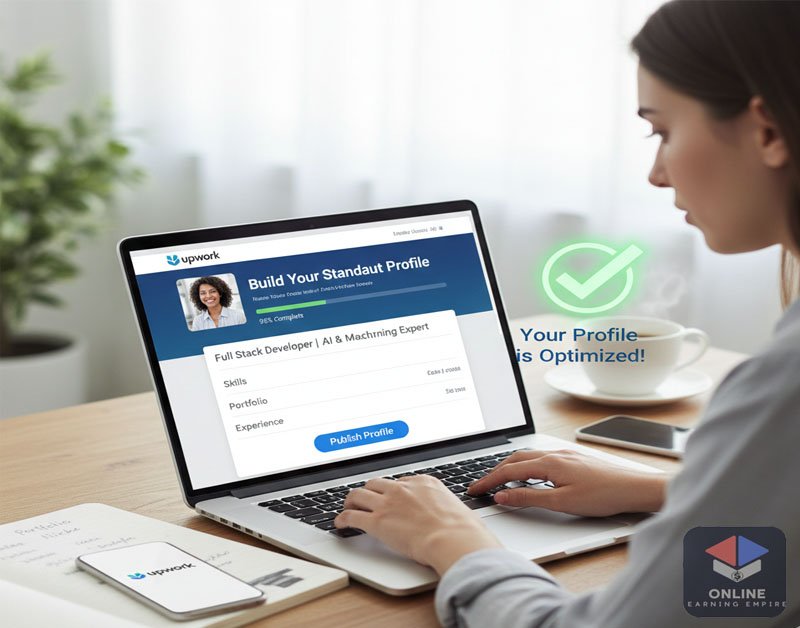
This guide solves that problem. You’ll learn how to create a professional Upwork profile, what mistakes to avoid, and how to increase your chances of getting approved and hired. Whether you’re a complete beginner, a part-time earner, or someone restarting their career, this step-by-step guide by Online Earning Empire will help you start safely and confidently.
What is How to Create Profile on Upwork?
How to create profile on Upwork means setting up your freelancer account in a professional and SEO-friendly way so clients can find and trust you.
An Upwork profile is like your online resume + portfolio. It shows:
- Your skills
- Your experience
- Your services
- Why a client should hire you
A strong profile increases:
- Profile approval chances
- Visibility in search results
- Job invitations
- Earnings potential
Without a proper profile, even skilled freelancers struggle to get work.
Is Creating a Profile on Upwork Legit or a Scam?
Creating a profile on Upwork is 100% legit. Upwork is a trusted freelancing marketplace used by millions of clients worldwide.
Why Upwork is Safe
- Secure payment system (escrow protection)
- Verified clients and freelancers
- Clear dispute resolution
- No joining fee
Red Flags to Avoid
- Anyone asking for money to “approve” your profile
- Jobs asking you to work outside Upwork
- Fake promises like “earn $500 daily instantly”
👉 Always work inside Upwork only for safety.
Step-by-Step Guide: How to Create Profile on Upwork
Step 1: Sign Up on Upwork
- Go to Upwork’s official website
- Click Sign Up
- Choose Freelancer
- Use a real email and your real name
Step 2: Choose Your Skills Carefully
Select 5–10 relevant skills only.
Examples:
- Content Writing
- Graphic Design
- Data Entry
- Web Development
- Virtual Assistant
💡 Tip: Choose skills you actually know.
Step 3: Write a Powerful Profile Title
Your title should be clear and benefit-focused.
Example:
Beginner Content Writer | SEO Blog & Article Writing Expert
Step 4: Write a Client-Focused Overview
Your overview should answer:
- What you do
- How you help clients
- Why you are reliable
Simple format:
- Short intro
- Skills & services
- How you solve problems
- Friendly closing
Step 5: Add Education & Experience
Even if you’re a beginner:
- Add college/school details
- Add internships, practice work, or self-learning
No experience? Mention:
- Online courses
- Personal projects
- Practice samples
Step 6: Upload a Professional Profile Photo
- Clear face
- Plain background
- Natural smile
- No selfies or filters
Step 7: Set Your Hourly Rate
- Start low if you’re new
- Increase after first few jobs
Example:
- Beginners: $5–$10/hour
Common Mistakes Beginners Make on Upwork
- Copy-pasting profile content
- Writing long, boring descriptions
- Choosing too many skills
- Using fake experience
- Ignoring profile completeness
Avoid these mistakes to increase approval chances.
Pros and Cons of Creating a Profile on Upwork
✅ Pros
- Global clients
- Secure payments
- Work from home
- Skill-based income
❌ Cons
- High competition
- Approval can take time
- Service fees
Tips to Get Jobs Faster & Safely on Upwork
- Complete 100% of your profile
- Apply to small beginner-friendly jobs
- Write customized proposals
- Be honest and professional
- Deliver quality work on time
Consistency is the key to success.
FAQs – How to Create Profile on Upwork
1. Is it free to create a profile on Upwork?
Yes, creating a profile on Upwork is completely free.
2. Why does Upwork reject profiles?
Profiles are rejected due to incomplete details, copied content, or low-demand skills.
3. Can beginners get work on Upwork?
Yes, beginners can get work by starting small and building trust.
4. How long does Upwork profile approval take?
Usually 24–48 hours, but sometimes longer.
5. Do I need experience to create an Upwork profile?
No, but you must show skills, learning, or sample work.
6. Can students and housewives use Upwork?
Yes, Upwork is perfect for students, housewives, and part-time earners.
Conclusion
Learning how to create profile on Upwork the right way can change your online earning journey. A well-optimized profile helps you stand out, build trust, and attract real clients without falling for scams. Start slow, stay honest, and focus on skill improvement rather than quick money. Success on Upwork doesn’t happen overnight, but with patience and consistency, it’s absolutely possible.
If you’re serious about freelancing and online income, follow this guide by Online Earning Empire and take your first confident step toward safe and sustainable earnings.